Steward
分享是一種喜悅、更是一種幸福
掌機 - GCW Zero - Telnet連線
透過USB連接到PC後
$ sudo dmesg
    [143586.121681] usb 1-1: new high speed USB device using ehci_hcd and address 4
    [143586.278126] usb 1-1: New USB device found, idVendor=0525, idProduct=a4a2
    [143586.278128] usb 1-1: New USB device strings: Mfr=1, Product=2, SerialNumber=0
    [143586.278130] usb 1-1: Product: RNDIS/Ethernet Gadget
    [143586.278132] usb 1-1: Manufacturer: Linux 3.12.0-dingux+ with musb-hdrc
    [143586.278199] usb 1-1: configuration #1 chosen from 2 choices
    [143586.282835] cdc_subset: probe of 1-1:1.0 failed with error -22
    [143586.288051] usb0: register 'cdc_ether' at usb-0000:00:0b.0-1, CDC Ethernet Device, fe:26:28:b2:5a:bf

$ sudo ifconfig usb0 10.1.1.1
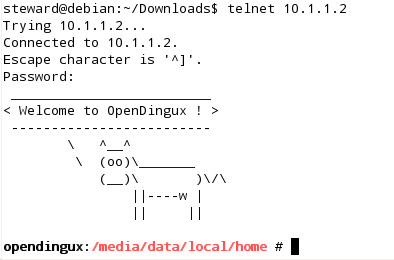
$ telnet 10.1.1.2
接著在PC上,使用telnet登入GCW Zero掌機
P.S. 記得從applications => Network設定Password